Getting started
AXR connects your shop to AI chat apps. Customers ask for a booking or an order there, and it goes straight into your Square or Shopify. Here’s what to do in your first week.
Sign in with your email if asked.
Your first week
Three things to do this week.
Put up your counter sign
What you need: A printer. Any home printer works.
- Open your dashboard at app.getaxr.com.
- Tap Share kit in the menu on the left. On a phone, tap Share at the bottom.
- Under Counter card, tap Download PDF.
- Print it. You get a 4×6 card and a table tent you fold.
- Put it next to your register.
- Back in Share kit, tap “It’s up”.
What happens next: Scans show up in Share kit.
Teach AI about your shop
- In your dashboard, tap AI questions in the menu.
- Under “Questions AI couldn’t answer”, tap Add answer and type what you’d say at the counter.
- No questions yet? Open Questions & answers and tap Add question. Start with one you hear often, like parking.
- To add your menu or FAQ, open Files & text and tap Choose files.
PDF, Word, CSV or text, up to 10 MB.
What happens next: Assistants use your answers from then on.
Tell your followers
- In your dashboard, tap Share kit. On a phone, tap Share.
- Scroll to “Tell your regulars” and pick an Instagram post, an Instagram story or a Google post.
- Tap Save. The picture downloads and its caption is copied.
- Post the picture on Instagram or Google and paste the caption.
- Back in Share kit, tap “It’s posted”.
What happens next: Clicks on each post show in Share kit.
Your customers
They ask in their own words.
A customer types what they want in ChatGPT or Claude. An AXR card appears in the chat, with your times or menu, and finishes the booking or order.
First, each customer adds AXR once: see Add AXR to Claude.
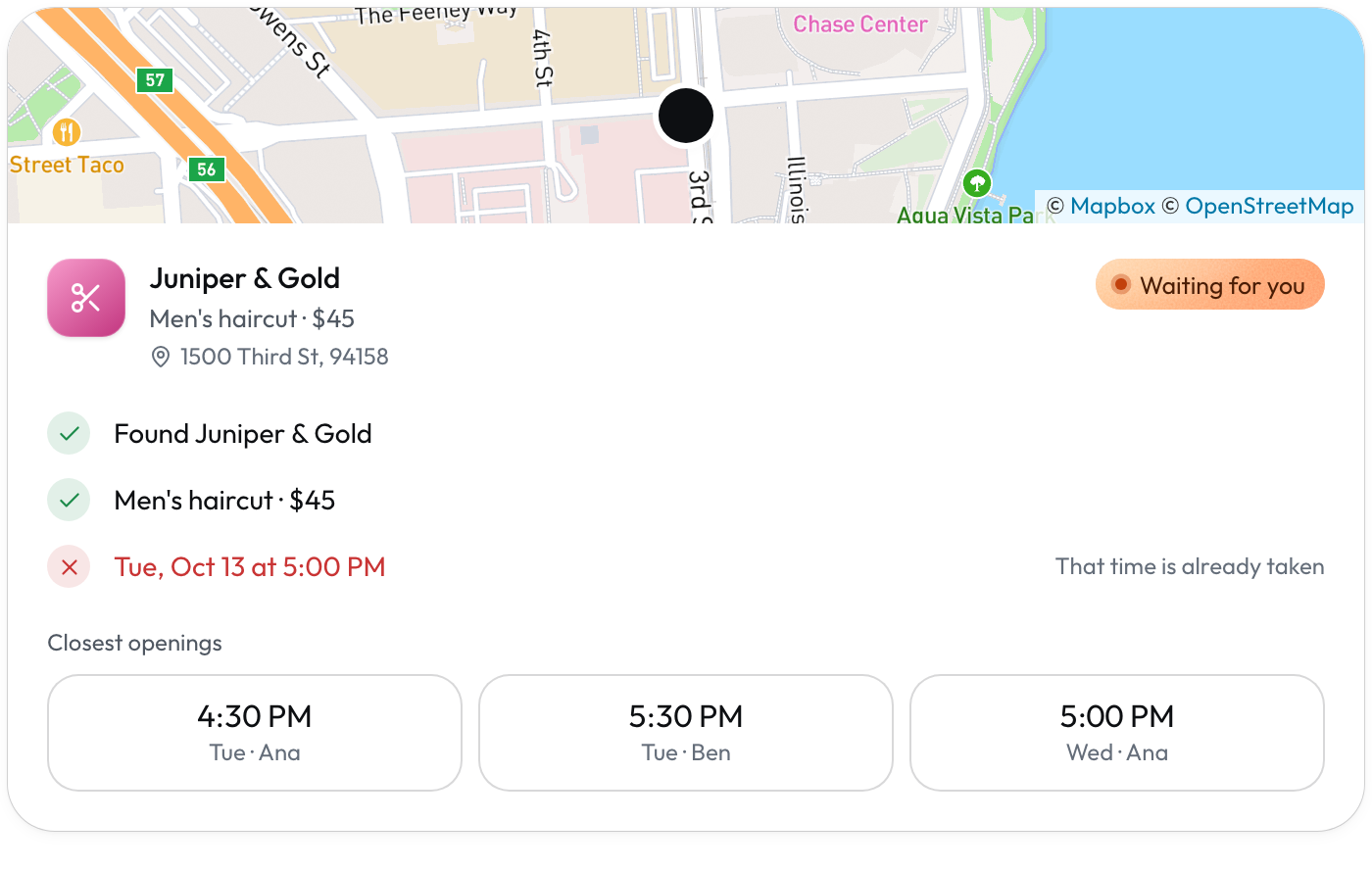
Bookings and appointments
 Square
What you need: Square Appointments turned on. Its free plan works.
- Customers see your open times from Square and pick one.
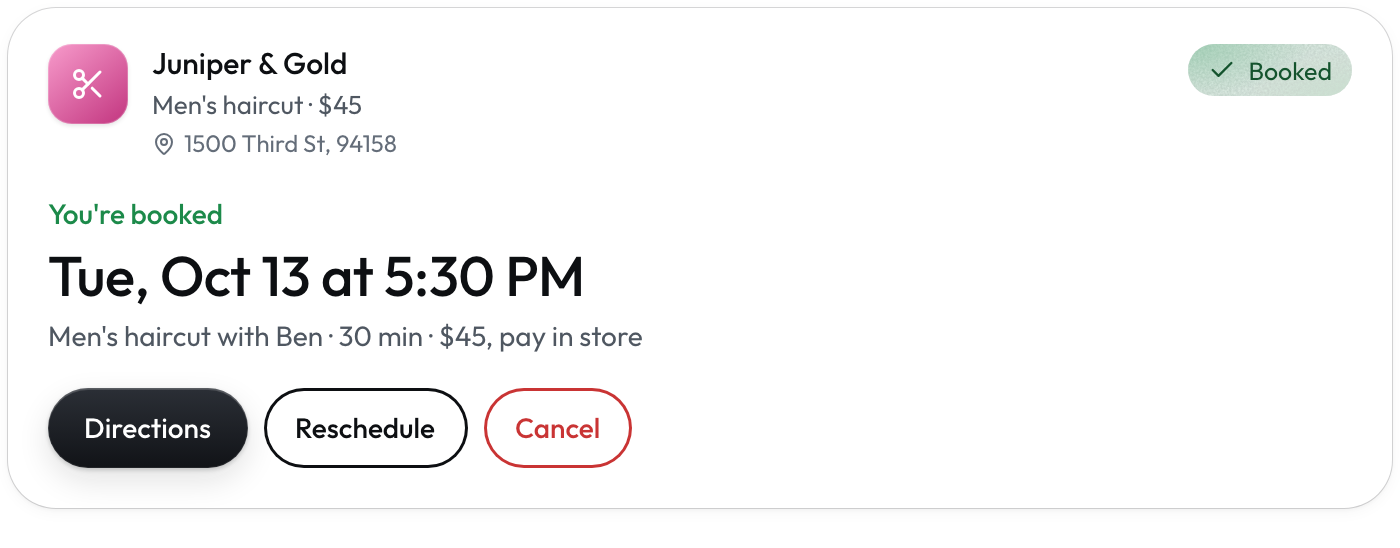
- The booking appears in Square Appointments.
- Customers reschedule or cancel by asking.
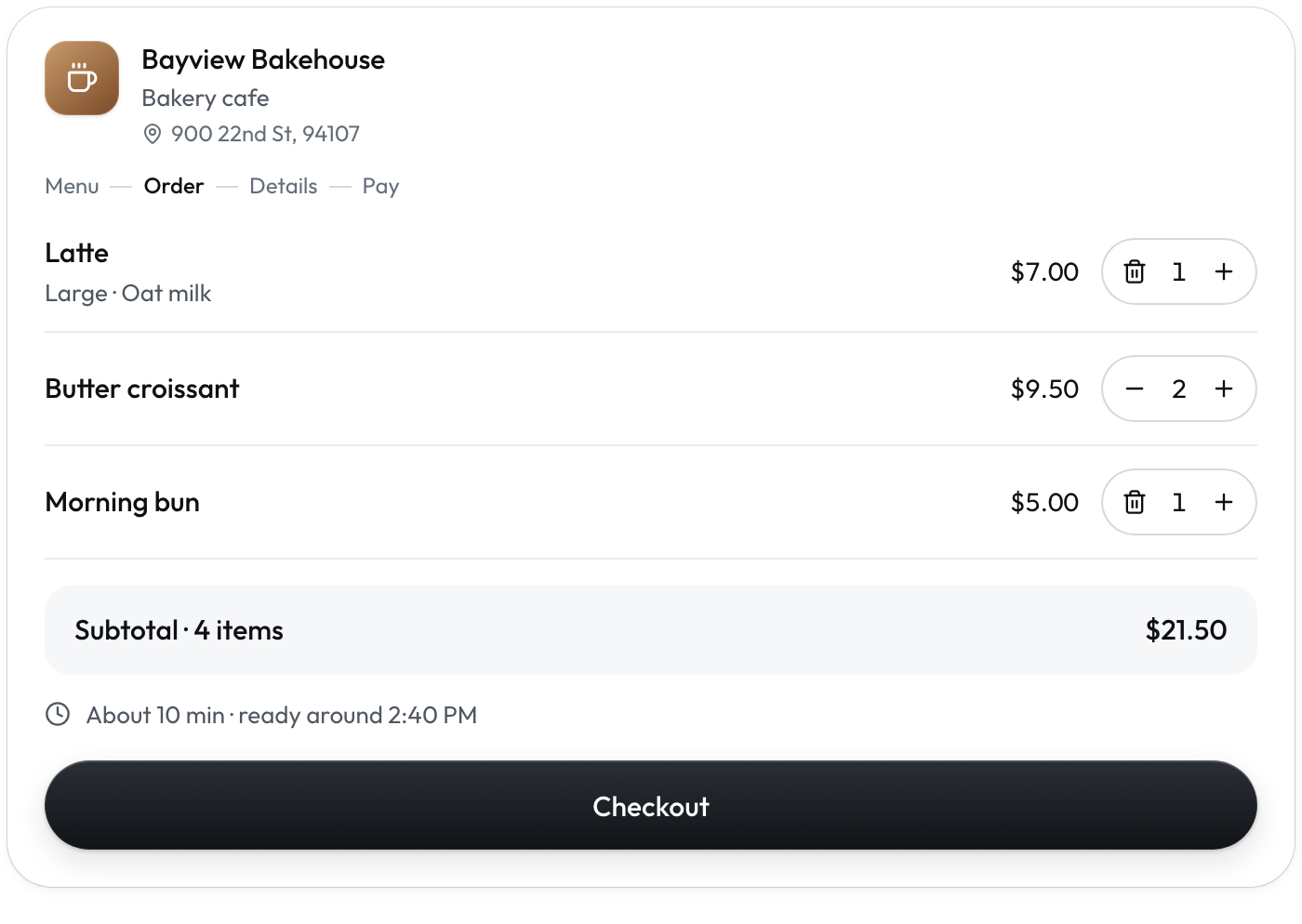
Pickup orders
Square Clover· Soon
What you need: Square. Clover is coming soon.
- Customers pay right in the chat.
- The order lands in Square with a number like #1001.
- You make it like any other Square order.
Order ahead
SquareWhat you need: Square, with your opening hours set.
- Customers pick a pickup time up to a week ahead.
- AXR only offers times when you’re open.
Shopify stores
 Shopify
What you need: AXR installed on your Shopify store.
- Products show with photos and sizes.
- Pickup or shipping, as your store allows.
- Customers pay on your own Shopify checkout.
Add AXR to Claude
The easiest way. Free plan, a few clicks.
What you need: A Claude account. The free plan works.
- Go to claude.ai and sign in.
- Open Settings, then Connectors.
- Click Add custom connector.
- Type AXR as the name and paste the AXR MCP address (above) as the URL.
- Click Add.
- Start a new chat, tap + and turn AXR on.
What happens next: AXR is ready. Try your shop below.
Add AXR to ChatGPT
Needs Plus or Pro, a computer, Developer mode.
What you need: ChatGPT Plus or Pro, on a computer.
- Go to chatgpt.com and sign in.
- Open Settings from your profile menu.
- Click Apps & Connectors.
- Click Advanced settings and turn on Developer mode.
- Click Create and type AXR as the name.
- Paste the AXR MCP address (above) into MCP server URL.
- Set Authentication to No authentication.
- Tick “I trust this application”, then click Create.
- Start a new chat, open the + menu and pick AXR.
What happens next: AXR is ready. Try your shop below.
Try it yourself
See your shop as customers do.
- Open a new chat in ChatGPT or Claude, with AXR turned on.
- Copy the prompt below and paste it into the chat.
- Change [your shop] to your shop’s name, then send it.
What happens next: Your shop’s AXR card appears.
What your customer sees
Your dashboard
Four places to know.
Your dashboard is at app.getaxr.com. Type your email and we send you a link to sign in. No password.
- Orders
- On the first page, under Recent orders. Tap All orders for the full list.
- AI questions
- What customers asked AI, and your answers.
- Locations
- Hours and status for each location. Add, pause or close one here.
- Share kit
- Your counter sign and ready-made posts. Called Share on a phone.
FAQ
Free during early access. After that, $49 a month per location, with at least 30 days’ email notice first. Customers’ payments go straight to your shop.
Yes, for now. Each customer adds AXR once in Claude or ChatGPT; the steps are on this page and behind the QR on your sign. After the app directories approve AXR, they just search AXR and tap Connect.
The question shows up in AI questions in your dashboard. Add your answer once, and assistants use it from then on.
In your dashboard, tap Locations, then the location, then Pause. Turn it back on there anytime.
Support
A person at AXR reads every email.